Alle recepten
⌕
Savour is the recipe management app for professional kitchens. Your Word files, PDFs and handwritten notes become one organised recipe book, for you and your whole kitchen team. Safe in the cloud, on every device and offline too.
1,400 recipes imported from Word in 2 minutes. Tested in our own kitchen.
40 sample recipes, no account needed
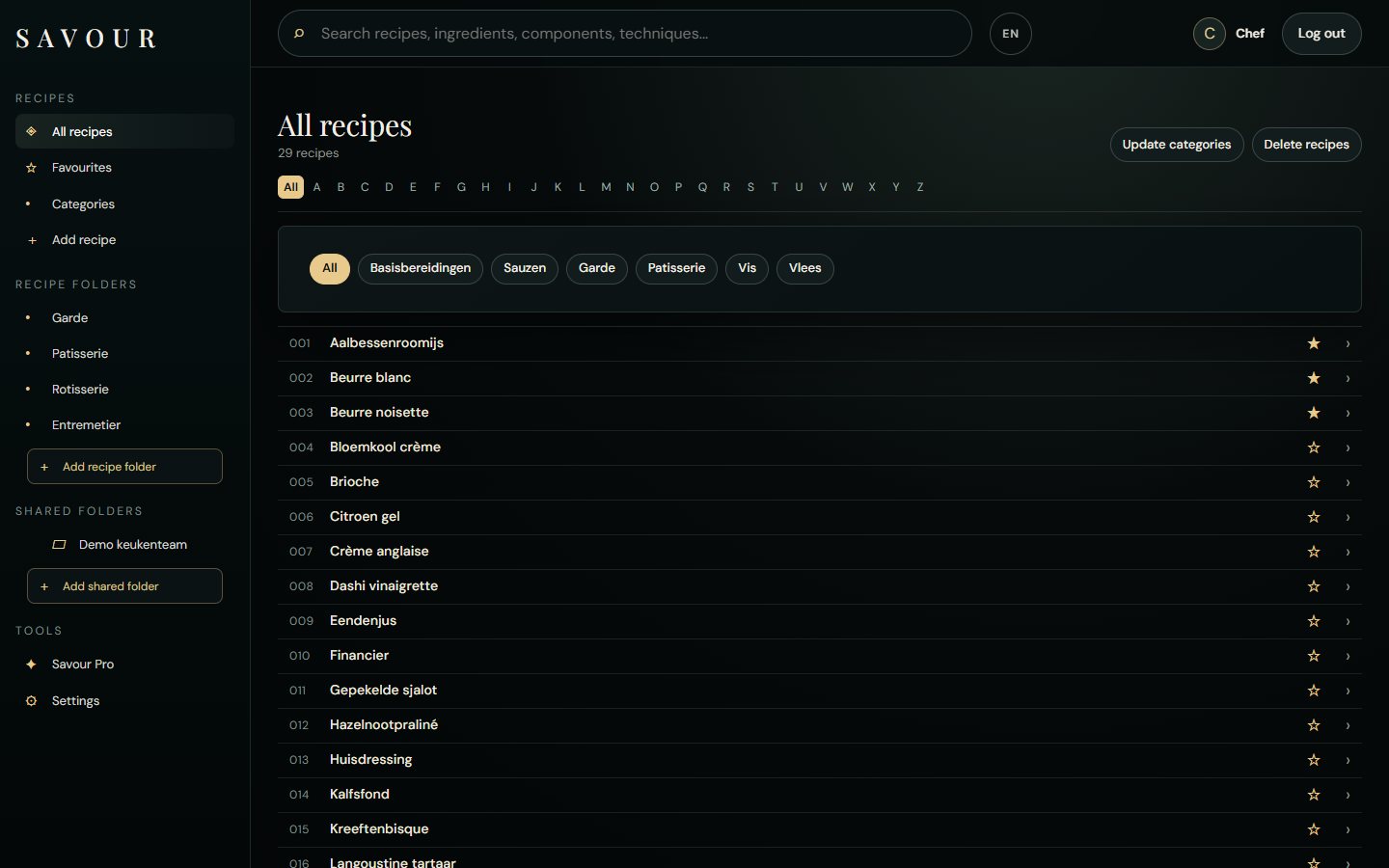
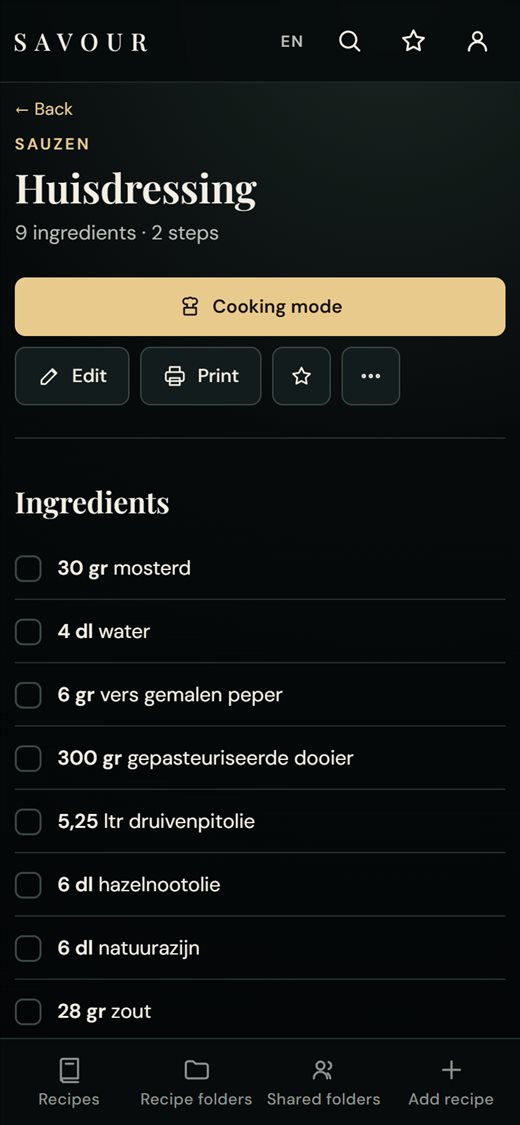
On the back of a ticket. In a notebook that sticks together after ten years of service. In a photo you once took at the pass. Those notes are your kitchen’s knowledge, and they get lost, fade, or can only be read by the person who wrote them.
Savour is made to keep that knowledge. Not by retyping everything, but by turning your notes, binders and files into recipes that are right and that your whole brigade can read, in one go.
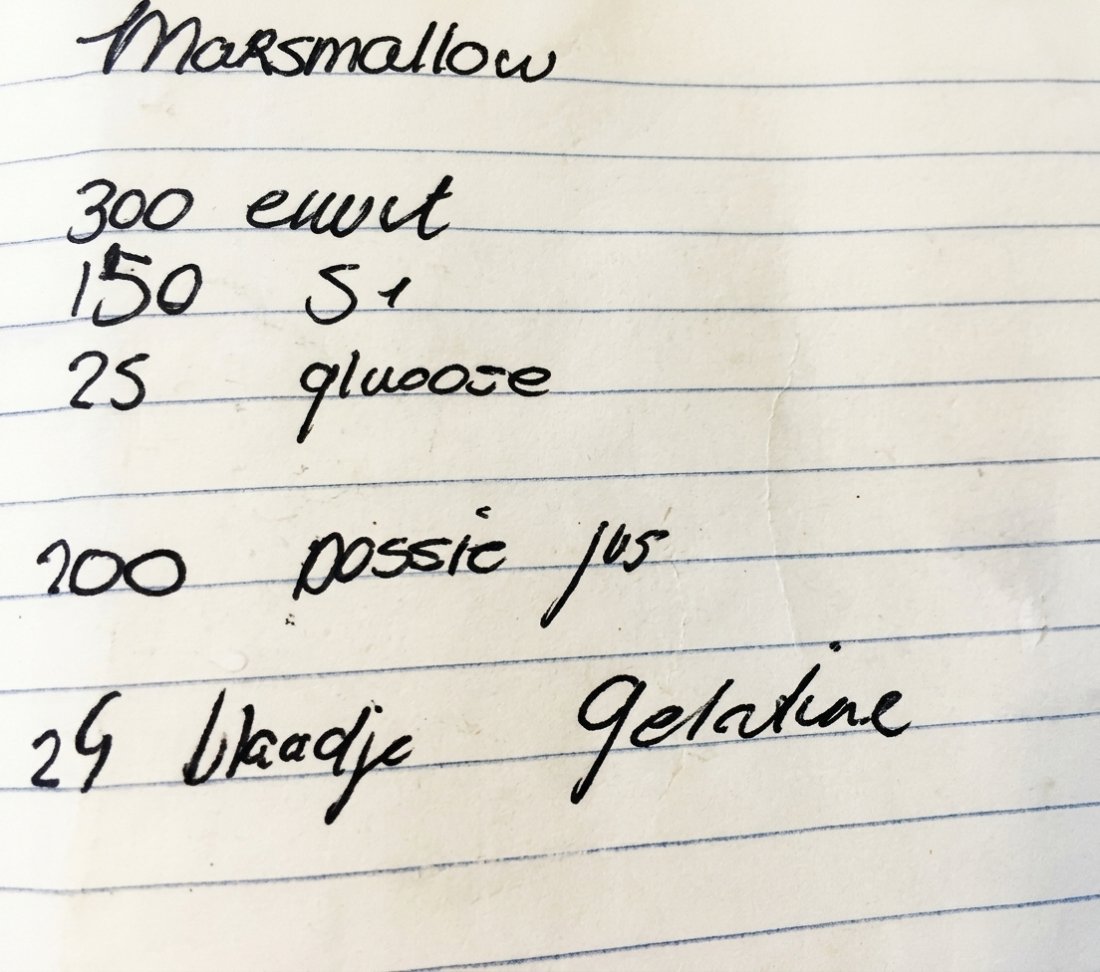
The method was not on the note. The chef added it: Savour never makes anything up.
Up to 100 recipes free, with the Savour reader for Word, PDF and text. Savour Pro costs €2.99 per month or €29 per year: unlimited recipes, AI for handwritten notes and photos, and your own shared folders. Teams from €1.20 per person.
Savour is made for professional kitchens: you import your existing recipes, organise them in folders and share them with your team. You start for free.
Take a photo of the recipe and upload it to Savour. The AI turns it into a clean recipe with ingredients and method, which you then check.
Yes. Even a file with hundreds of recipes at once; Savour splits them up itself.
With a shared folder. You invite colleagues and give them rights to view or to edit.
Yes. Savour is built for restaurants, hotels and catering: manage recipes centrally, share them with your kitchen team and organise them by section, menu or location.
Yes. Open Savour once with internet and add it to your home screen; after that you can open your recipes without a connection, for example in the walk-in. Editing works again as soon as you are online.
In the cloud, kept separate per account. You open them on computer, tablet and phone, and only you and the people you invite to a shared folder can read them.
Yes. Print single recipes or a complete recipe folder at once, neatly laid out for the binder in the kitchen. With Savour Pro your restaurant’s logo is on it.
It can be, but Savour is built for the professional kitchen: big recipe books, teams and service.
Start free with up to 100 recipes and try Savour Pro for 7 days. No payment details needed.
Zo stond het recept op papier, voordat Savour het las.
Leg het kladje plat, in goed licht, en fotografeer recht van boven.
Tip: houd Shift ingedrukt om meerdere recepten in één keer te selecteren.
Kies de receptenmap die je wilt openen.
Of deel de uitnodigingslink, bijvoorbeeld via WhatsApp naar een telefoonnummer. Nadat iemand een account heeft gemaakt, kun je de rechten aanpassen.